Ready
Building a Scriptable Rules Engine for Real-Time IoT Message Processing
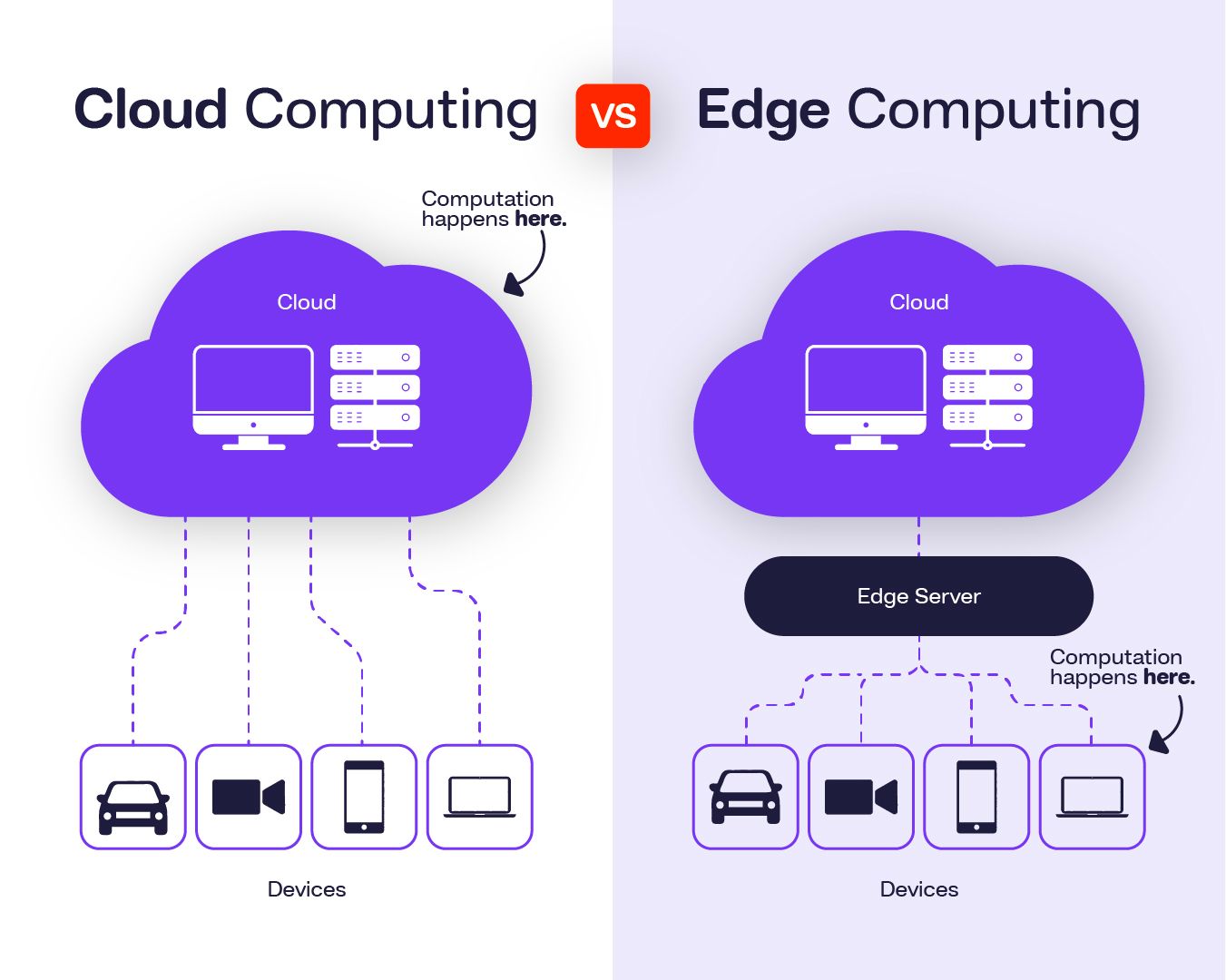
The ability to process data on the edge, apply conditional logic, and initiate workflows without redeploying services is crucial in modern data pipelines, particularly IoT and event-driven systems.
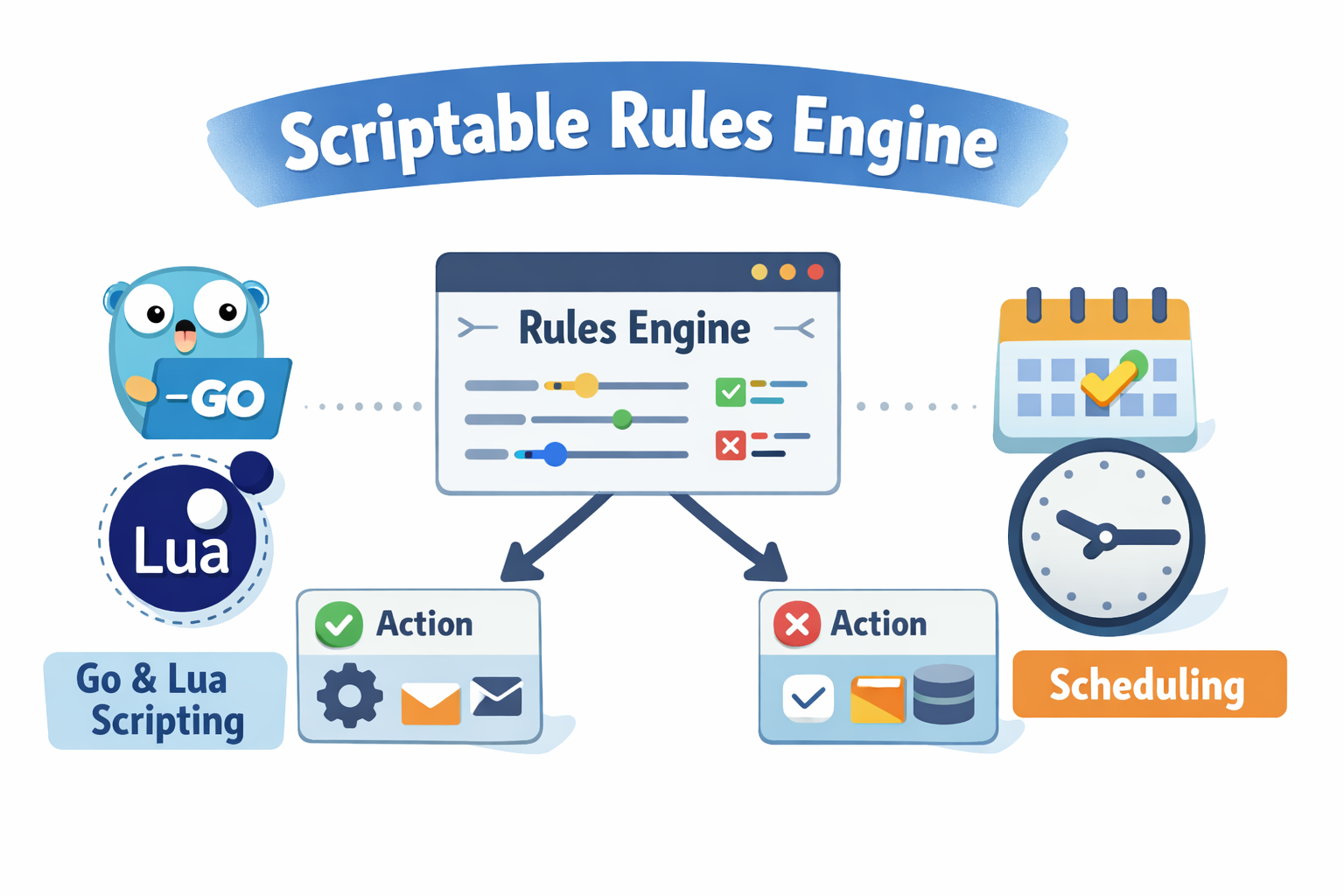
Presenting the Rules Engine, a Magistrala platform microservice. With extensive scheduling, observability, and an intuitive interface, it enables developers to create rules that listen for incoming messages, process them using custom logic written in Lua or Go, and output the results to various mediums.
What Problems are we solving?

IoT teams face critical challenges when building production systems:
Rigid Processing Logic: Traditional IoT platforms require code deployments to change message processing rules, creating bottlenecks and slowing response to changing business requirements.
Operational Complexity: Teams need separate systems for real-time processing, scheduled tasks, alerting, and data routing - increasing infrastructure complexity and maintenance overhead.
Multi-Tenant Isolation: Enterprise IoT platforms must safely isolate processing logic between different business units, customers, or projects without compromising security or performance.
Integration Friction: Connecting IoT data to existing databases, notification systems, and downstream applications often requires custom middleware and complex integration work.
The Magistrala Rules Engine solves these problems by providing:
- Dynamic scripting in Lua or Go without service redeployment
- Unified processing for real-time and scheduled operations
- Domain-based isolation for secure multi-tenancy
- Native integrations to databases, messaging, and notification systems
Rules Engine Architecture at a Glance

- Input - This contains the channel and an optional topic that the rule will subscribe to so as to listen for incoming messages.
- Logic - The logic contains the scripts for processing the messages. They can be in Lua or Go scripts.
- Schedule - The rule can be scheduled to run at specific times or on a recurring basis.
- Output - This is what will happen after the rule has been processed.
Input
The rule input contains a channel and an topic. Currently, Magistrala supports one input per rule. The input allows the rule to subscribe to messages in a particular channel or filtered by a specific topic.

Logic
The logic component is the core of the Rules Engine. It processes incoming messages and optionally outputs results. You can choose the language best suited to your team’s experience or rule complexity.
Lua Example

function logicFunction()
  return message.payload
end
return logicFunction()
Go Example

package main
import (
      m "messaging"
  )
func logicFunction() any {
    return m.message.Payload
}
The scripting engine safely isolates each execution, ensuring rule-specific transformation logic.
Schedule
The scheduler allows you to configure when the rule should execute. The fields available are:
- Start Time - This is the date and time when the schedule becomes active
- Recurring Interval - The interval at which the rule should recur(e.g., hourly, daily, weekly, monthly)
- Recurring Period - The frequency at which the rule should recur (e.g., 1,2 ).
This means if recurring=daily, and the recurring period=2, then the rule will be executed once every two days.
Schedule config example:
{
  "start_datetime": "2026-02-03T09:00",
  "recurring": "weekly",
  "recurring_period": 2
}
Output

The outputs allow you to perform actions after the message has been successfully processed. Magistrala currently supports the following output options:
- Publish to channel
- Trigger an alarm
- Send email notification
- Save to external PostgreSQL database
- Save to internal Magistrala database
- Send slack notification
Publish to channel
When choosing to publish to a channel, you need to provide the channel and an optional topic. This allows you to send the response to other devices or applications.
{
  "type": "channels",
  "channel": "0c20e05c-d580-45ed-b5d4-35e255a8a054",
  "topic": "messages"
}
Trigger an alarm
The trigger alarm option can be achieved by returning the result of the logic as an alarm and passing the “alarms” as an output. This allows you to generate alarms in the case where a threshold has been exceeded.
Alarm:
{
  "type": "alarms"
}
Send email notification
To send an email notification, you need to pass email as one of the outputs. You need to configure the following:
- To
- Subject
- Content - Data contained in the email. Magistrala allows the use of Go HTML templating in the email content.
{
  "type": "email",
  "to": ["[email protected]"],
  "subject": "Test email",
  "content": "This is the content of the email with message value {{.Message.payload.v}}"
}
Save to external PostgreSQL database
This output option enables you to store processed message results in your own PostgreSQL database. This provides you with the flexibility of not having to store your messages on the internal Magistrala database.
To set it up the following fields are required:
- Host
- Port
- Username
- Password
- Database name
- Table name
- Data mapping
{
  "type": "save_remote_pg",
  "host": "<postgres_host>",
  "port": "<port>",
  "user": "<username>",
  "password": "<password>",
  "database": "<database_name>",
  "table": "<table_name>",
  "mapping": "<json_mapping>"
}
An example of a mapping is:
{
  "channel": "{{.Message.Channel}}",
  "value": "{{(index .Result 0).v}}",
  "unit": "{{(index .Result 0).u}}"
}
Save to internal Magistrala database
This output allows you to store messages in the internal Magistrala database. This output requires the result of your logic to be a message in SenML format. Internal storage output:
{
  "type": "save_senml"
}
Send slack notification
To send a slack notification, you need to pass slack as one of the outputs. You need to configure the following:
- Token - Your slack app token to be used for authentication.
- ChannelID - The ID of the slack channel where the notifications will be sent.
- Message - A valid slack message payload in JSON format. The payload must follow Slack’s structure.
{
  "type": "slack",
  "token": "<slack_token>",
  "channel_id": "<channel_id>",
  "message": {
    "text": "Temperature alert for {{.Message.sensor}}",
    "attachments": [
      {
        "pretext": "Threshold exceeded",
        "text": "Current temperature is {{.Result.v}} {{.Result.u}}"
      }
    ]
  }
}
Rules API
The Rules Engine exposes a powerful RESTful API that allows full lifecycle management of rules - making it easy to create, modify, and control rules programmatically.
Here are the core API operations currently supported:
Rule Management
- Create Rule - Define a new rule with Lua or Go logic, inputs, outputs and optional scheduling.
- List Rules - Fetch all rules in a given domain, optionally with filters and pagination.
- View Rule - Retrieve the configuration of a single rule by its ID.
Rule Modification
- Update Rule - Change the rule’s logic, metadata, input/outputs config, and name.
- Update Rule Tags - Add or remove rule tags for categorization and filtering.
- Update Rule Schedule - Adjust the rule’s scheduling parameters without affecting other rule attributes.
Rule Lifecycle
- Delete Rule - Delete a rule to prevent future execution.
- Enable Rule - Activate a rule so it begins processing messages or running on a schedule.
- Disable Rule - Temporarily pause rule execution without deleting it.
To dive deeper into request/response formats, authentication headers, and schema definitions, check out the developers guide in our documentation.
Explore Managing Rules with our UI
Good news for those who prefer working with graphical tools: Magistrala ships with a powerful web-based UI that makes managing rules and other system resources intuitive and visual - no need to interact directly with the API if you don’t want to.

What you can do with the UI
The UI provides a comprehensive management experience for the entire Magistrala platform, and includes a dedicated section for Rules Engine operations:
- Create and edit rules.
- Write logic in Lua or Go with syntax highlighting.
- Configure input and outputs.
- Set up rule schedules visually with date and time pickers.
- Rules listing and filtering.
Node-Based Rule Visualization
Rules in the UI are managed and visualized using a node-based interface, where:
- Each rule contains three sections - input, logic, output nodes.
- The input node can only be a single node.
- The logic node is also a single node.
- We support multiple output nodes.
- All the nodes can be connected visually, helping users understand data flow.
Whether you are a backend developer or a domain expert configuring automation logic, the UI provides a low-friction, high-visibility interface for interacting with your rules.
To learn more about how to use the UI for Rules Engine management, please visit our Rules Engine guide in our user-guide documentation.
Health and Observability
To make the service production-ready, we’ve added essential endpoints for monitoring the health and metrics of the service.
Health check
Returns the service status.
/healthSample response:
{
  "status": "pass",
  "version": "unknown",
  "commit": "3cd9774a91c4889136095265bdf63ceb6b2bfb72",
  "description": "rule_engine service",
  "build_time": "2025-07-21_11:36:05",
  "instance_id": "39e3a615-438f-4940-8848-b844d49ecd98"
}
Metrics
Exposes Prometheus-style metrics.
/metricsReal-World Use Case: Temperature Monitoring
Consider a manufacturing facility monitoring equipment temperature. Here’s how the Rules Engine handles this scenario:
Input: Temperature sensors publish to channel factory-sensors with topic temperature
Logic (Lua):
function logicFunction()
  local p = message.payload
  local temp = p.temperature
  local threshold = 85
  if temp > threshold then
    return {
      measurement = "temperature",
      value = tostring(temp),
      threshold = tostring(threshold),
      cause = "Equipment overheating: " .. temp .. "°C",
      severity = 5
    }
  end
end

return logicFunction()Outputs:
- Trigger alarm for immediate response
- Send email to maintenance team

This eliminates the need for custom middleware while providing enterprise-grade reliability and observability.
Getting Started
Ready to implement dynamic IoT processing in your system? The Magistrala Rules Engine is production-ready and waiting for your logic.
Next Steps:
- 📘 Explore documentation
- ☁️ Try Magistrala Cloud free trial to test rules without infrastructure setup
- 🐙 View the open-source implementation on GitHub
Transform your IoT data processing from rigid deployments to dynamic, scriptable intelligence.
Conclusion
The Magistrala Rules Engine puts real-time decision-making power into your hands. Whether you are building an alerting system, filtering messages, or automating scheduled tasks, the Rules Engine lets you do it dynamically - with safety, flexibility, and observability built in.
No redeployments. No vendor lock-in. Just write your logic and let it run.